
AI Personal Coachingfor your working day
Every group holds two kinds of people: one cannot even sign in, the other is already writing their own system prompts. A course can only ever serve one of the two. Here there is no group, so there is no wrong pace either. We work on your real tasks, on your machine. What you end up with is a workstation that is set up and ready, not a handbook on a shelf.
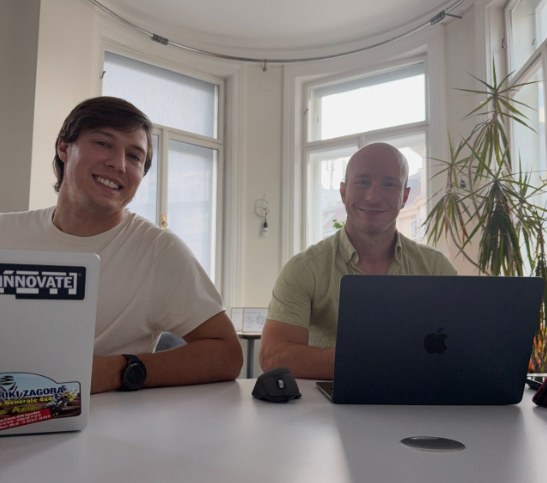
"I thought I knew how to use ChatGPT, until Jakub showed me what is really possible."
A seminar shows you what AI can do. Here we set it up.
Let us do the sums. A course day with twenty people gives each participant roughly twenty minutes of real attention. That is enough for an overview, which is what a seminar is built for, and I run them myself. For your own file and your own process there is no room in a schedule like that.
In one-to-one training you get eight hours of it. That is why it costs more than a seat in a group, and why it comes out cheaper in the end than three seminars after which nothing changes in your day.
One participant saved 40 minutes a day after a single session. Projected over a working year, that is around 18 working days. Those 18 days are lost again every year, quietly and without an invoice.
| Open seminar | In-house training | AI Personal Coaching | |
|---|---|---|---|
| Who decides the content | the organiser | your company | you, in the session |
| Exercises | general examples | industry-specific | your real files, your machine |
| Pace | group pace | group pace | yours |
| Group size | up to 20 people | your team | one person |
| What you have at the end | knowledge and an overview | knowledge plus shared use cases | a fully set-up workstation |
| Follow-up | none | optional | follow-up sessions online included |
| Investment | on request | on request | €290 per hour excl. VAT |
Install, work, correct.
One single long day fills you up and then leaves you on your own. In sport, nobody trains once for eight hours and then never again either. That is why I work in stages.
Intro call, free
20 minutes. What do you do every day, where do you lose time, what are you already working with. After that I know whether one-to-one training fits your task. If it does not, I say so and recommend something else.
The installation
The long block, on site or online. We set your tools up around your real tasks: projects, system prompts, reusable routines. You do the typing, I sit beside you and correct.
The correction
Two shorter online appointments, one to two weeks apart. The really good questions come up in the working day. On the training day nobody knows them yet.
Pricing, out in the open.
All prices are net, plus 20% VAT. Online with no extra cost. For on-site appointments, travel costs and a flat travel-time fee are added, and both are stated in the quote beforehand.
- For one specific question
- Online
- Recording on request
- One subject area, properly set up
- Split as you like
- Certificate of attendance
- Installation plus two correction sessions
- Your workflows end to end
- Certificate of attendance
- Several workflows and tools
- A day on site plus online follow-up
- Certificate of attendance
Would you rather book through a training provider your organisation already works with? That is possible. I work as a trainer for several certified further-education institutes, in which case the invoicing and the certificate go through that institute.
Packages are valid for twelve months and can be split as you like. Additional hours after a package ends I bill at the package hourly rate, not at the single-hour price. There is nothing for you to prepare: your machine and one real task from your day are enough.
What is yours after the first block.
For anyone who genuinely wants to be able to do it.
Most often the people sitting opposite me come from sales, marketing, assistant roles, HR and management. You need no prior knowledge. You need one real task and the willingness to do the typing yourself in the session.
What participants say after a session.
"Before, my chats were scattered everywhere and disorganised. Now I have everything sorted. We organised and personalised my LLM so that I do not have to write a prompt every time. That alone saves me 40 minutes a day."

"I run a martial arts gym, technology is not my world. I did not even know where the app was. 45 minutes later I had an AI project for winning members. On my own I would never have got there."

"It was incredible. I completely changed the way I look at business. I booked the second session immediately."
Before you ask.
Do I need prior knowledge?
No. I regularly work with people who cannot even sign in at the start, and in the same room with people who already write their own system prompts. That is exactly what the one-to-one format is for: there is no pace you have to keep up with.
Which tool do we learn?
The one you actually work with. ChatGPT, Claude, Gemini or Microsoft Copilot. The foundations are the same across all of them, and those foundations are the real content. If your organisation only permits Copilot, we do Copilot.
Do I get a certificate for my employer?
Yes, you receive a personalised certificate of attendance for the training completed, including the content on data protection and the EU AI Act. For bookings through a further-education institute, that institute issues the certificate.
Online or on site?
Both. Online is more flexible and cheaper, because there are no travel costs. On site is stronger when we work at your actual workstation and on your systems. The most common arrangement: one appointment on site, then the follow-up online.
And if it does not help?
Then tell me in the first hour and we stop. I have no interest in customers who stay seated out of politeness.
Twenty minutes in which you have to buy nothing.
In the intro call we work out whether one-to-one training is the right thing for your task. If a seminar suits you better, I will tell you which one.
Book an intro call →20 minutes, free, with no quote afterwards if you do not want one. The decision is entirely yours.